spriteready
THE FINISHING TOUCH FOR YOUR NEXT GAME

Make AI generated art
game-ready.

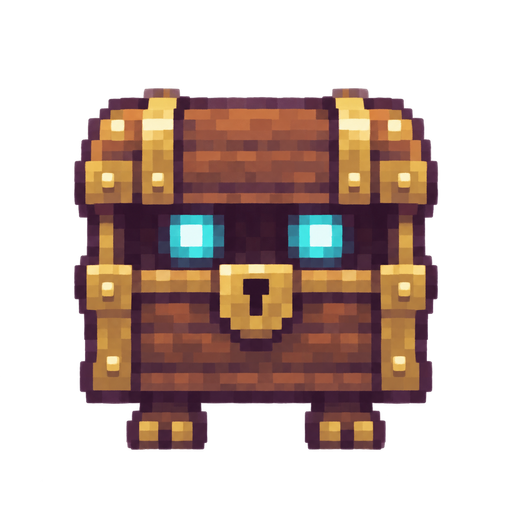
Ask AI for a character, a treasure chest, or a tiny slime, and it can give you a great starting point. But even “pixel art” can arrive as a large image with blurry edges, uneven pixel blocks, and thousands of nearly identical colours. SpriteReady helps turn that picture into a usable game sprite. Bring your generated image, choose what needs fixing, compare the before and after, and download a smaller, cleaner transparent PNG.

Explore real results Public preview · Opening soon
FROM YOUR IMAGETO YOUR NEXT GAME
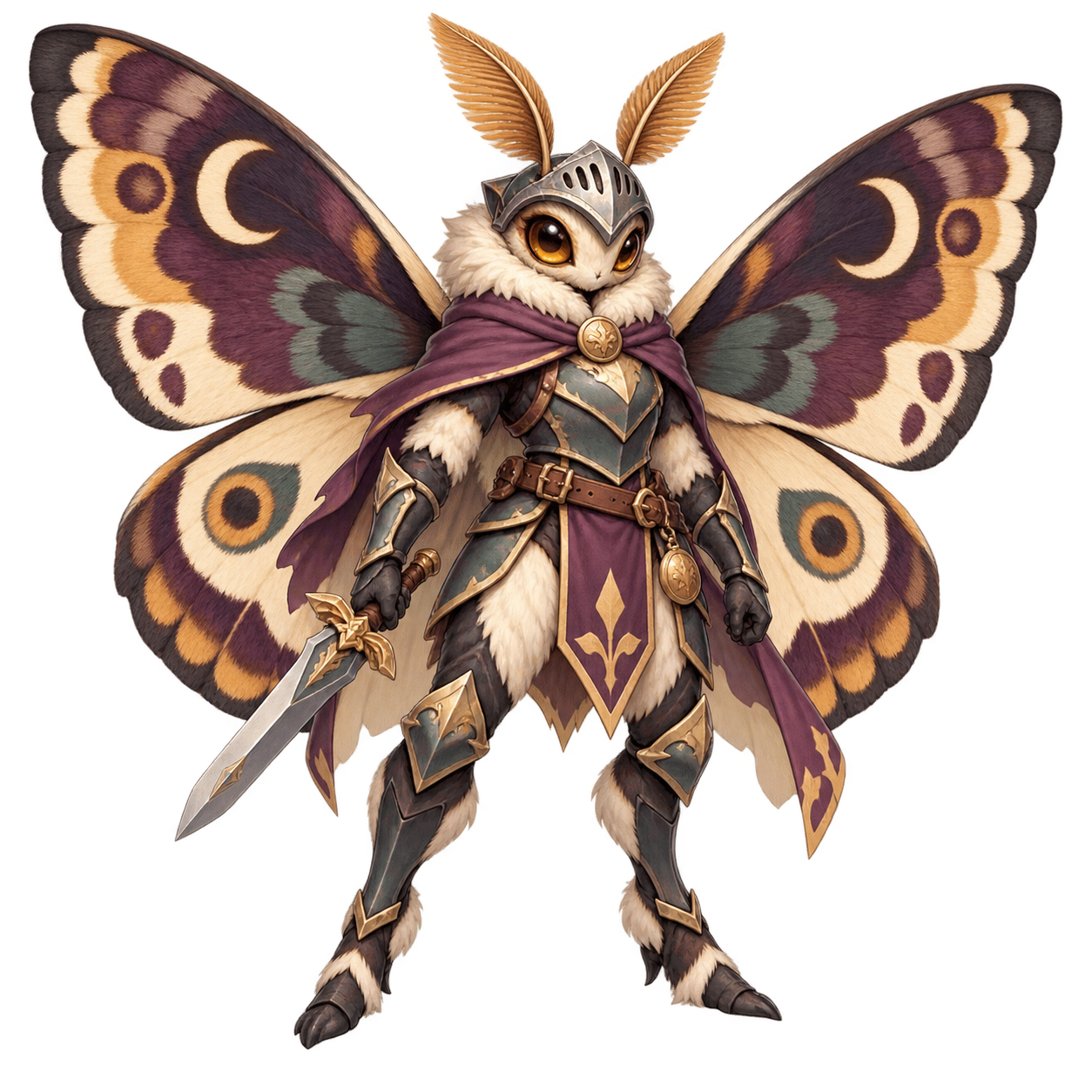
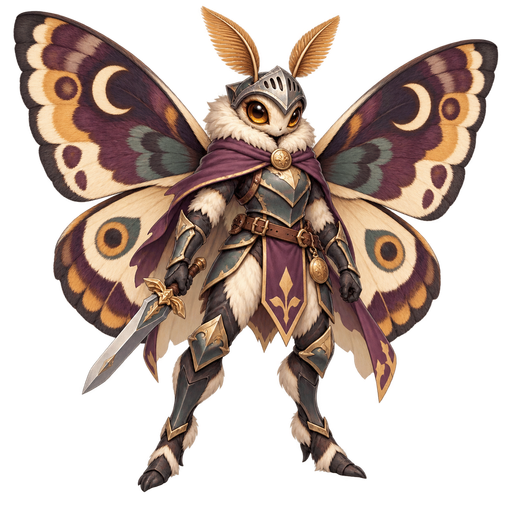
Complete original AI-generated moth knight
01 / THE ORIGINAL1254 × 1254 px
SMALLER.
CLEANER.
READY.
moth-knight.png
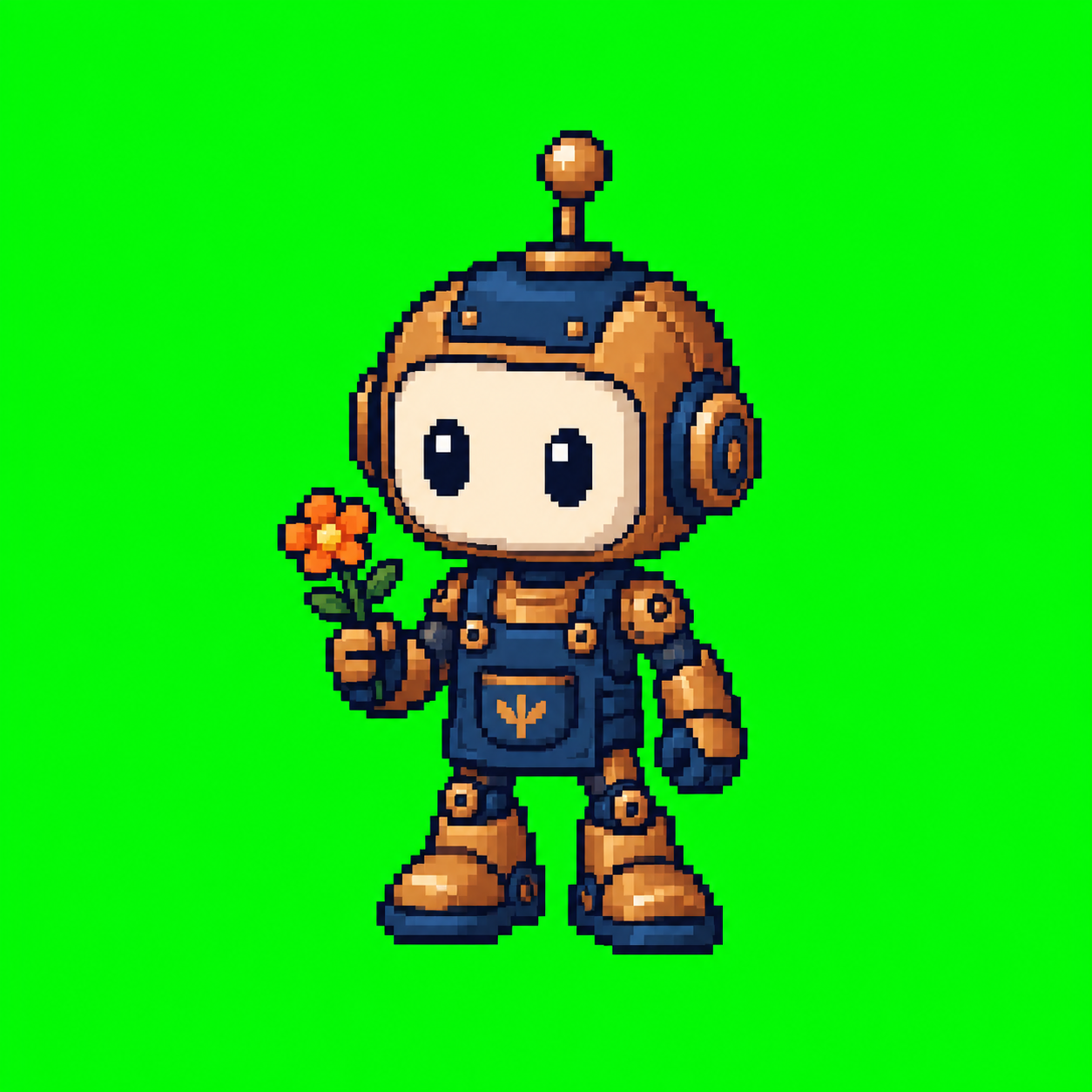
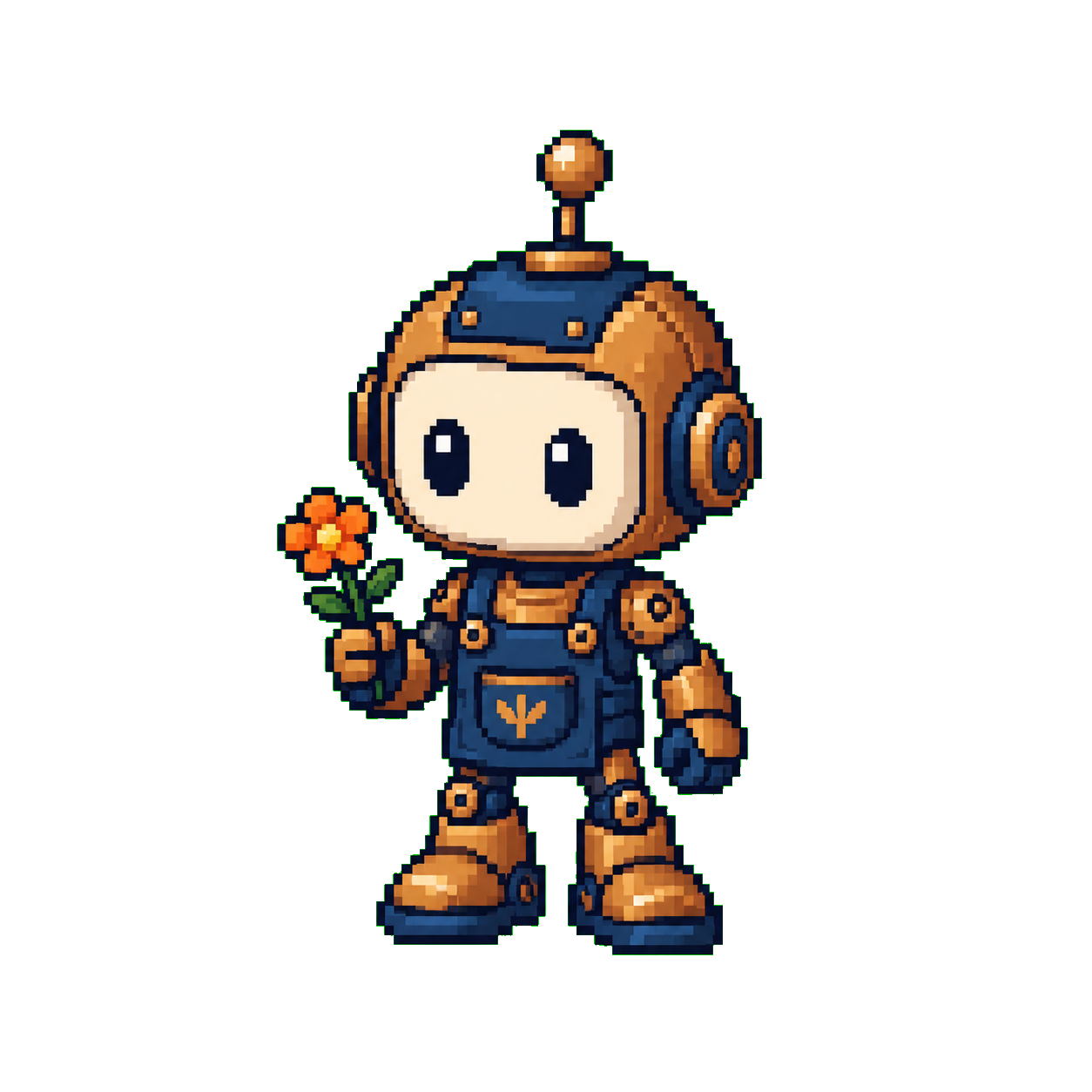
guided real exported PNG, 100 by 100 pixels, shown at native size
100 × 100 px31 colours
02 / THE REAL EXPORTActual size. Not enlarged.
Processed with SpriteReady, not a mockupKeep this sprite ↓
01

Your art stays
on your device.

02

Your original stays
untouched.

03

Your download is a
transparent PNG.

FOUR TOOLS. NO PIXEL-ART DEGREE REQUIRED.

Good art.
Meet the right tools.

Pick what looks wrong. See what changes.
Every before and after below comes from our actual engine.

01 / FIND THE RIGHT SIZE

Big picture.
Tiny character.

Your character looks great, but it is far too big for your game. Make it smaller without stretching it, then export it with a transparent background.

Try downscale
DownscaleActual engine output
Before · Original image1254 × 1254 px
Whole original for Downscale
After · Exported PNG100 × 100 pxShown at actual size (1:1)
downscale real exported PNG, 100 by 100 pixels, shown at native size

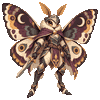
This moth knight goes from a 1254 × 1254 image to a 100 × 100 PNG. The smaller sprite is shown at its real download size.

Inspect pixels, settings & source files +

A smaller image, with the same proportions.

Downscale · Real before and after

Actual size · 1:1
Background
01 Before: whole image1254 × 1254 px
Complete uncropped source for Downscale

Whole image, shown smaller to this panel. Original proportions preserved.
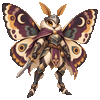
02 After: actual size1× · 100 × 100 px PNG
Downscale exported PNG at native size 100 px

The finished sprite at its actual size. It has not been enlarged.

Downscale export at native 100 by 100 pixels
Actual download size (1:1)100 × 100 pxShown without enlargement.
Size chosen
96 px
Sprite, before border
96 × 96
Empty border, each side
2 px
Final PNG size
100 × 100

201,5884,753 visible colours. We chose a 96 px sprite with a 2 px empty border. Small textures become simpler at this size.

Download this PNG ↓
How this example was made Engine 0.2.0 +

Settings used for this example

96 px was chosen to retain the face and wing markings. Binary transparency removes faint edge pixels. No grid repair or colour reduction.

Measured from this run

Trimmed subject bounds
1187 × 1190 px
Subject aspect ratio
0.997 : 1 (width : height)
Requested core dimensions
96 × 96 px (aspect-preserving)
Final size calculation
(96 + 2 × 2) × (96 + 2 × 2) = 100 × 100 px

At 1:1, browser zoom and display scaling can affect physical screen pixels. Preview backgrounds are not included in the PNG.

Exact recipe

{
  "recipeVersion": 1,
  "engineVersion": "0.2.0",
  "mode": "downscale",
  "background": {
    "mode": "preserve",
    "toleranceRgbPercent": 8,
    "erosionSourcePx": 0
  },
  "grid": {
    "enabled": false,
    "outlineExpansion": 0
  },
  "resize": {
    "enabled": true,
    "longestSide": 96,
    "filter": "source_default",
    "allowUpscale": false
  },
  "palette": {
    "enabled": false,
    "colours": 24,
    "protect": 4,
    "cleanPasses": 0
  },
  "finish": {
    "trim": true,
    "alpha": "binary",
    "thresholdPercent": 50,
    "gutter": 2,
    "bleedTransparentRgb": true
  }
}

SHA-256 file hashes

Source 94ac6047bf458e244bfd7fb8a5446eca1064d473612a14dedc70a7937a815411

Result 08b94d985f33894329b3ce0016f7fe7f0ec14f90673ccd311c20f4125012c6f3

Try these tools on your own artwork.Open downscale
02 / STRAIGHTEN THINGS OUT

Pixel art should
mean pixels.

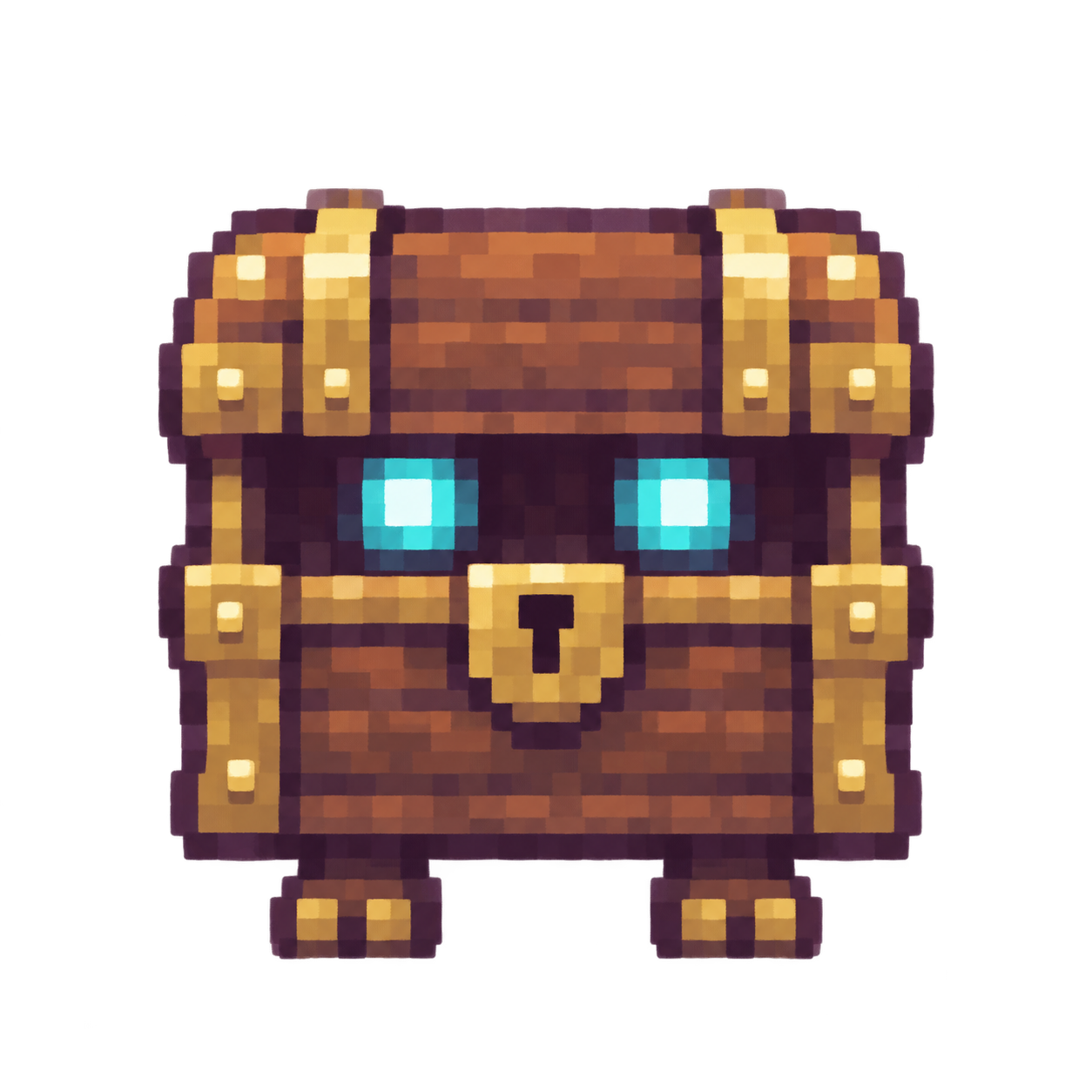
AI sometimes draws soft, uneven blocks instead of actual pixels. A pixel grid is simply a pattern of equal-sized squares. Repair helps the blocks line up again.

Try pixel-grid repair
Pixel-grid repairActual engine output
Before · Original image1254 × 1254 px
Whole original for Pixel-grid repair
After · Exported PNG41 × 41 pxShown 2× for inspection
repair real exported PNG, 41 by 41 pixels, shown 2×

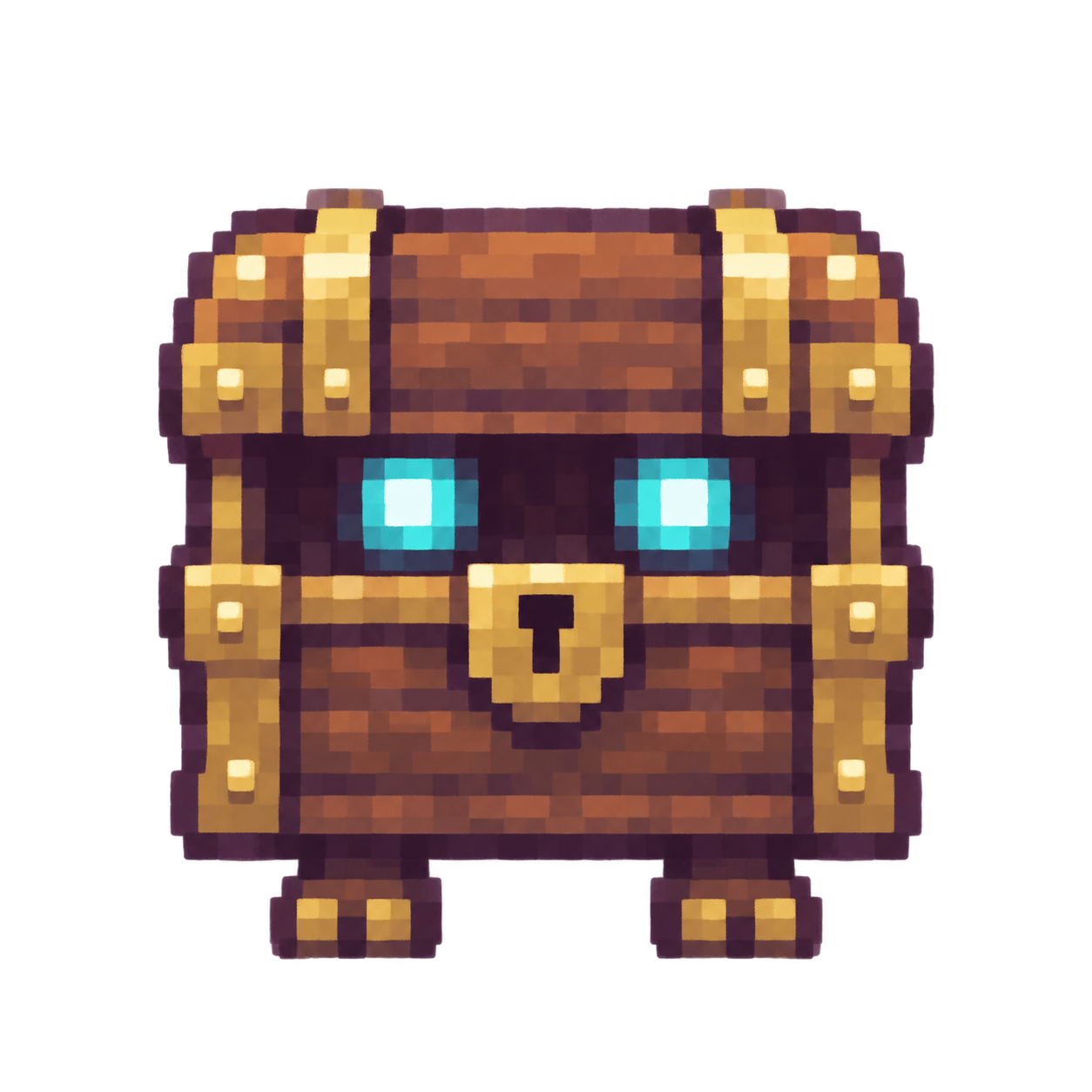
This mimic chest becomes a 41 × 41 PNG. The result below is shown at 2×. Open the detail view to compare its outline with the grid on.

Inspect pixels, settings & source files +

Turn soft blocks into individual, crisp pixels.

Repair pixel grid · Real before and after

Background
Zoom changes the view, never the file.
01 Before: whole image1254 × 1254 px
Complete uncropped source for Repair pixel grid

Whole image, shown smaller to this panel. Original proportions preserved.

02 After: enlarged view2× · 41 × 41 px PNG
Repair pixel grid exported PNG at 2 times magnification

Enlarged 2× for a closer look. The downloaded file stays the same size.

Under the magnifying glass

Same detail. See what changed.

Both lenses show the same part of the image.
The complete images stay visible above.

Source outline detail
Before Source detail
Result outline detail at 12 times magnification
After 12× actual pixels
Repair pixel grid export at native 41 by 41 pixels
Actual download size (1:1)41 × 41 pxShown without enlargement.
Size chosen
No resize
Sprite, before border
37 × 37
Empty border, each side
2 px
Final PNG size
41 × 41

66,354978 visible colours. We chose the grid settings for this example. Small details can change, so compare the result before using it.

Download this PNG ↓
How this example was made Engine 0.2.0 +

Settings used for this example

Manually selected 24 px source blocks, phase 0, 0. This source has an imperfect grid. Small details can change; this is not an automatic-detection claim.

Measured from this run

Trimmed subject bounds
891 × 885 px
Subject aspect ratio
1.007 : 1 (width : height)
Requested core dimensions
No requested size. Grid or source determines the core.
Final size calculation
(37 + 2 × 2) × (37 + 2 × 2) = 41 × 41 px

At 1:1, browser zoom and display scaling can affect physical screen pixels. Preview backgrounds are not included in the PNG.

Exact recipe

{
  "recipeVersion": 1,
  "engineVersion": "0.2.0",
  "mode": "repixel",
  "background": {
    "mode": "preserve",
    "toleranceRgbPercent": 8,
    "erosionSourcePx": 0
  },
  "grid": {
    "enabled": true,
    "outlineExpansion": 0,
    "step": 24,
    "phaseX": 0,
    "phaseY": 0
  },
  "resize": {
    "enabled": false,
    "longestSide": 96,
    "filter": "source_default",
    "allowUpscale": false
  },
  "palette": {
    "enabled": false,
    "colours": 24,
    "protect": 4,
    "cleanPasses": 0
  },
  "finish": {
    "trim": true,
    "alpha": "binary",
    "thresholdPercent": 50,
    "gutter": 2,
    "bleedTransparentRgb": true
  }
}

SHA-256 file hashes

Source c46fbb784f7692a406061a24b6f3c2c2ea3dc35e823ecb46bbf45788ed9f4877

Result ee9071702a6a7f8996a579faa391c1bdbf9791918014b295d9f259bb1ee0ede4

Try these tools on your own artwork.Open repair pixel grid
03 / KEEP THE GOOD COLOURS

Less colour clutter.
More character.

A palette is the collection of colours in your sprite. Merge nearly identical shades to make the artwork easier to edit, recolour, and use alongside other assets.

Try palette cleanup
Palette cleanupActual engine output
Before · Original image84 × 96 px
Whole original for Palette cleanup
After · Exported PNG84 × 96 pxShown 3× for inspection
palette real exported PNG, 84 by 96 pixels, shown 3×

This slime goes from 5,299 visible colours to 24. Both images are shown at 3×; the exported PNG stays 84 × 96 pixels.

Inspect pixels, settings & source files +

Fewer colours. The same shape and size.

Clean palette · Real before and after

Background
Zoom changes the view, never the file.
01 Before: whole image · 3×84 × 96 px
Complete uncropped source for Clean palette

The whole original, enlarged 3× so you can see its pixels.

02 After: enlarged view3× · 84 × 96 px PNG
Clean palette exported PNG at 3 times magnification

Enlarged 3× for a closer look. The downloaded file stays the same size.

Under the magnifying glass

Same detail. See what changed.

Both lenses show the same part of the image.
The complete images stay visible above.

Source face detail
Before Source detail
Result face detail at 8 times magnification
After 8× actual pixels
Clean palette export at native 84 by 96 pixels
Actual download size (1:1)84 × 96 pxShown without enlargement.
Size chosen
No resize
Sprite, before border
84 × 96
Empty border, each side
0 px
Final PNG size
84 × 96

5,29924 visible colours. This sprite was resized first. Colour cleanup keeps its size and transparent outline exactly the same.

Download this PNG ↓
How this example was made Engine 0.2.0 +

Settings used for this example

The input was first resized to 84 × 96 with SpriteReady. This step only reduces colour, preserving dimensions and every alpha value. Small shades may merge.

Measured from this run

Trimmed subject bounds
84 × 96 px
Subject aspect ratio
0.875 : 1 (width : height)
Requested core dimensions
No requested size. Grid or source determines the core.
Final size calculation
(84 + 2 × 0) × (96 + 2 × 0) = 84 × 96 px

At 1:1, browser zoom and display scaling can affect physical screen pixels. Preview backgrounds are not included in the PNG.

Exact recipe

{
  "recipeVersion": 1,
  "engineVersion": "0.2.0",
  "mode": "palette",
  "background": {
    "mode": "preserve",
    "toleranceRgbPercent": 8,
    "erosionSourcePx": 0
  },
  "grid": {
    "enabled": false,
    "outlineExpansion": 0
  },
  "resize": {
    "enabled": false,
    "longestSide": 96,
    "filter": "source_default",
    "allowUpscale": false
  },
  "palette": {
    "enabled": true,
    "colours": 24,
    "protect": 4,
    "cleanPasses": 0
  },
  "finish": {
    "trim": false,
    "alpha": "preserve",
    "thresholdPercent": 50,
    "gutter": 0,
    "bleedTransparentRgb": true
  }
}

SHA-256 file hashes

Source f35ac52658651349c332bdef53c5169d146837b23d71b9856d7a1fd35f3bc389

Result 05909ceebf629984337c0b07569b05ec7af924fbaba287b8d2d67430505d7fc4

Palette source prepared from the full generated source. The preparation recipe and hashes are included in the processing record.

Try these tools on your own artwork.Open clean palette
04 / BRING IT TOGETHER

A few fixes.
One fresh start.

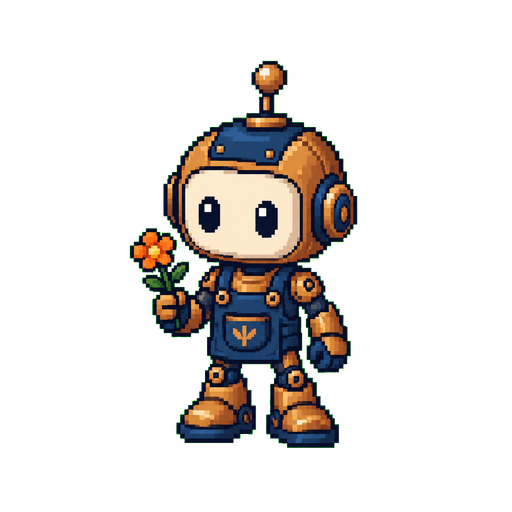
Have more than one problem? Combine the steps your picture needs. Resize first, simplify the colours, then compare your original with the final sprite.

Try guided cleanup
Guided cleanupActual engine output
Before · Original image1254 × 1254 px
Whole original for Guided cleanup
After · Exported PNG100 × 100 pxShown at actual size (1:1)
guided real exported PNG, 100 by 100 pixels, shown at native size

This real example combines downscaling and palette cleanup. The final 100 × 100 PNG uses 31 colours and is shown at native size.

Inspect pixels, settings & source files +

A smaller sprite. A more focused set of colours.

Guided cleanup · Real before and after

Actual size · 1:1
Background
01 Before: whole image1254 × 1254 px
Complete uncropped source for Guided cleanup

Whole image, shown smaller to this panel. Original proportions preserved.

02 After: actual size1× · 100 × 100 px PNG
Guided cleanup exported PNG at native size 100 px

The finished sprite at its actual size. It has not been enlarged.

Guided cleanup export at native 100 by 100 pixels
Actual download size (1:1)100 × 100 pxShown without enlargement.
Size chosen
96 px
Sprite, before border
96 × 96
Empty border, each side
2 px
Final PNG size
100 × 100

201,58831 visible colours. This combines resizing and colour cleanup. Grid repair is off because the original is an illustration.

Download this PNG ↓
How this example was made Engine 0.2.0 +

Settings used for this example

Downscale followed by 32-colour cleanup. Grid repair is off because this source is an illustration. Fine fur and metal texture cannot survive at this size.

Measured from this run

Trimmed subject bounds
1187 × 1190 px
Subject aspect ratio
0.997 : 1 (width : height)
Requested core dimensions
96 × 96 px (aspect-preserving)
Final size calculation
(96 + 2 × 2) × (96 + 2 × 2) = 100 × 100 px

At 1:1, browser zoom and display scaling can affect physical screen pixels. Preview backgrounds are not included in the PNG.

Exact recipe

{
  "recipeVersion": 1,
  "engineVersion": "0.2.0",
  "mode": "guided",
  "background": {
    "mode": "preserve",
    "toleranceRgbPercent": 8,
    "erosionSourcePx": 0
  },
  "grid": {
    "enabled": false,
    "outlineExpansion": 0
  },
  "resize": {
    "enabled": true,
    "longestSide": 96,
    "filter": "source_default",
    "allowUpscale": false
  },
  "palette": {
    "enabled": true,
    "colours": 32,
    "protect": 4,
    "cleanPasses": 0
  },
  "finish": {
    "trim": true,
    "alpha": "binary",
    "thresholdPercent": 50,
    "gutter": 2,
    "bleedTransparentRgb": true
  }
}

SHA-256 file hashes

Source 94ac6047bf458e244bfd7fb8a5446eca1064d473612a14dedc70a7937a815411

Result f0d27cf95fb4edfb23ab7370eb9a7a7ee848ec804f1bd49a1677041210007976

Try these tools on your own artwork.Open guided cleanup
THE SMALL PRINT, IN PLAIN ENGLISH.

Glad you asked.

New to sprites? You’re in the right place.

What is a sprite, anyway?+

A sprite is a small image used in a game, like a character, a potion, or a treasure chest. A transparent PNG lets the game background show around it, without a white rectangle.

Do I need to know all the settings?+

No. Start with the example closest to your image. Downscale makes large artwork smaller, grid repair straightens uneven blocks, and palette cleanup reduces similar colours. You can compare and adjust before downloading.

Will it redraw my art?+

No. SpriteReady works with the pixels already there. Tiny eyes, thin lines and fine textures can change when reduced, and some results still need a manual touch-up. The examples show real outputs so you can judge for yourself.

What counts as one free fix?+

One source-image workspace counts once after its first successful result. You get five free workspaces per account, with 24 hours to refine each free workspace. Failed or canceled runs do not spend a fix.

Does my artwork leave my computer?+

The image tools run in your browser. Your original image and exported PNG stay on your device. Sign-in, account usage and payments still use network services.

YOUR GAME IS WAITING.

Give your pixels
a fresh start.

Explore the toolkit

Signup and subscriptions open after launch.